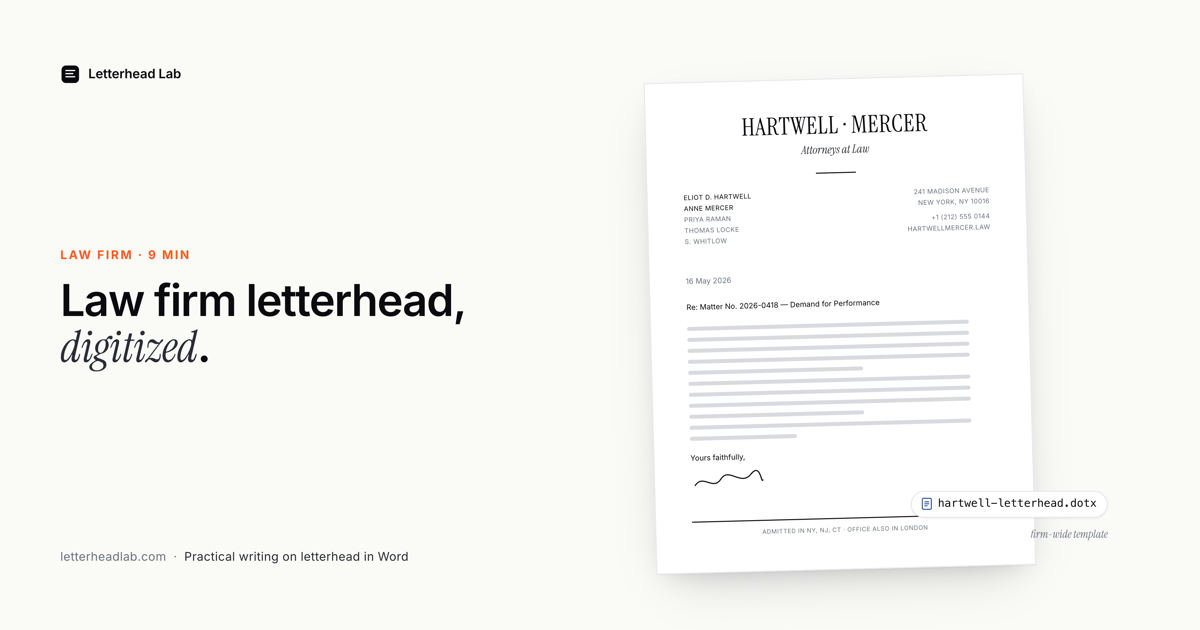
For a law firm, letterhead is not decoration. It is part of how the firm is read. A letter that arrives on the firm's designed letterhead carries the weight of an established practice; the same words in a bare Word document read as a draft. This guide is about the practical side of that: how a firm gets its letterhead into Word, keeps it correct across every associate and every matter, and handles the documents — demand letters, engagement letters, multi-page filings — where the formatting cannot be a question mark.
Why letterhead matters more in legal correspondence
Most of what a law firm sends is correspondence whose purpose is partly to signal seriousness. A demand letter signals that a matter has escalated. An engagement letter establishes a professional relationship and sets the fee. An opinion letter commits the firm to a position.
In each case the reader — often a sophisticated one, sometimes opposing counsel — is forming an impression of the firm before reading a word of the substance.
A letterhead that is slightly off undercuts that impression. A logo nudged out of place, a font Word substituted because the real one was not installed, an address block that wrapped wrong — none of it is fatal, but all of it suggests a firm that does not control its own output. For a profession that sells judgment and rigour, that is the wrong signal to send on the document that introduces every matter.
So the bar is higher than "good enough." The letterhead has to be correct, every time, on every letter, regardless of which associate or assistant produced it. That is an operations problem, and it has an operations solution.
Getting the firm's letterhead into Word
A firm's letterhead almost always exists as a PDF — produced by a designer, or supplied by the print shop that runs the firm's physical stationery. A PDF cannot be typed on. So the letterhead has to be converted into a Microsoft Word document: the artwork placed into Word's header and footer, the body left as a clean, editable page.
The wrong way to do this is a generic PDF-to-Word converter, which tries to make the logo and address editable and destroys the design in the process. The right way keeps the artwork as artwork — a high-resolution image locked into the header — while only the letter body is editable. You can do that by hand in Word (a fiddly 45-minute job, documented here) or convert the PDF straight to a Word .docx in about a minute.
Either way, the destination is the same: a Word file where the firm's letterhead is pixel-identical to the designed PDF, and any associate can open it and start typing.
The documents that matter
Three categories of legal correspondence put the most pressure on a letterhead. Each has its own page on the firm side of the site, and each is worth understanding.
Demand letters
A demand letter has one job: to read as a serious, considered position. It is sent constantly, and if every one is assembled by hand — letterhead rebuilt at the top of a blank document — the firm's identity drifts and someone's version eventually looks wrong. The fix is a demand letter template on the firm's letterhead: convert the letterhead once, save it as a template, and every demand starts from the correct file.
Engagement letters
The engagement letter is usually the first formal document a new client receives. It defines scope and fees and is read closely, often by the client's own advisors. Because firms send these on every new matter, they are the clearest case for a reusable template — the boilerplate engagement language sitting in the body, the letterhead fixed above it. Our page on engagement letters on the firm's letterhead covers the workflow.
Multi-page filings
Memoranda of law, settlement agreements, and formal filings run long, and a single-page letterhead repeating at full size on page nine looks wrong. Legal correspondence uses a continuation header: the full letterhead on page one, a slimmer header on every page after. Setting that up by hand in Word is error-prone; the multi-page filing letterhead workflow builds it in.
The firm-wide workflow
The reason letterhead consistency is achievable at all is that it does not depend on every associate getting it right. It depends on one person setting it up correctly once.
- Someone on the operations side — an office manager, a paralegal, or IT — converts the firm's PDF letterhead into a Word file.
- They save it as a
.dotxtemplate in the firm's shared location: Word's Custom Office Templates folder, a SharePoint library, or the network drive associates already use. - Associates open the template to draft a letter, type the demand or the engagement terms, and save it as a new document for the matter.
- The master template is never edited, because a
.dotxopens a copy. The firm's letterhead cannot be corrupted by a stray save.
This is the entire operating model, and it scales from a solo practice to a firm with hundreds of lawyers. The associate's job is to write the letter; the letterhead is already correct and is not something they have to think about. The full picture — quotas, multiple letterheads, billing — is on the law firm hub.
Why a .dotx, not a .docx. A .docx on a shared drive will, eventually, be saved over by someone drafting a letter into the master by mistake. A .dotx template opens a fresh untitled copy every time — the master is structurally protected. For a firm, that is the difference between a letterhead that stays correct and one that quietly degrades.
Several offices, several letterheads
Many firms do not have one letterhead. They have a letterhead per office, per practice group, or with and without the full partner list. Converting these one at a time is wasteful.
The efficient route is to put each letterhead on its own page of a single PDF and convert them together — the Multi-page bundle handles up to ten letterheads in one pass. Each comes back as its own file, ready to drop into the shared template folder under a clear name. A firm with a New York and a London office, or separate litigation and transactional letterheads, sets all of them up in one sitting.
For firms that file across jurisdictions, the bundle also produces both US Letter and A4 versions, so a filing does not have to be reformatted because it crossed a border.
Handling a rebrand
Firms change. A name partner joins, an office moves, the brand gets refreshed. When the letterhead changes, the workflow makes the update trivial: whoever owns operations reconverts the new PDF and replaces the template in the shared folder.
Letters already written keep their original letterhead; only new ones pick up the change. There is no firm-wide scramble to update documents, because the documents were always copies of a template, never the template itself.
A word on review
For the highest-stakes correspondence — court filings, opinion letters, settlement letters — it is worth one proofread of the converted file before it goes into production: confirm the crop is right, the margins clear the artwork, and the continuation header carries what it should.
A conversion is reliable, but legal correspondence is exactly the place to verify rather than assume. If anything looks off, it can be corrected.
Letterhead and client confidentiality
For most businesses, a letterhead is just branding. For a law firm it can be more sensitive than that. A letterhead PDF prepared for a specific matter may carry a client name, a matter caption, or a reference that should not be visible outside the firm.
Even a standard firm letterhead signals practice areas and partners — information a firm may be deliberate about.
That makes the conversion route itself a question worth asking. A generic online PDF-to-Word converter uploads the file to a third-party server, processes it there, and returns the result. Wherever that server is, and whatever its retention policy, the firm's letterhead has left the building. For a one-off marketing flyer that is unremarkable. For anything touching a matter, it is the kind of thing a firm's general counsel or risk committee would want to have been asked about.
A browser-based conversion removes the question. When the PDF is parsed and the Word file is assembled locally — in the browser, on the lawyer's or the paralegal's own machine — the file is never transmitted anywhere. There is no upload, no third-party server, no retention policy to vet. The conversion is, from an information-security standpoint, equivalent to opening the PDF in a local application.
This is why the conversion behind the firm's letterhead workflow runs entirely client-side. It is not a marketing line; it is the property that makes the tool usable for legal correspondence at all. A firm should still apply its normal judgment about what goes on a letterhead and who handles it — but the conversion step itself does not widen the circle.
The short version
A law firm's letterhead has to be correct on every letter, and that is achievable without relying on every associate. Convert the designed PDF into a Word file with the artwork in the header and footer, save it as a .dotx template in a shared location, and let associates draft from copies.
Use a continuation header for long filings, convert multiple office letterheads together, and reconvert when the firm rebrands. Done once, properly, the firm's letterhead stops being something anyone has to get right — it simply is right.
Frequently asked questions
- How does a law firm keep its letterhead consistent across associates?
By converting the letterhead once into a
.dotxtemplate and storing it in a shared location. Associates draft from copies of the template, so the letterhead is identical on every letter regardless of who wrote it.- Can one conversion handle several office letterheads?
Yes. Put each office or practice-group letterhead on its own page of a single PDF and convert them together — the Multi-page bundle handles up to ten in one pass, each returned as its own file.
- How do multi-page filings keep the letterhead correct?
Through a continuation header: the full letterhead on page one, a slimmer header on later pages, using Word's different-first-page setting. A multi-page conversion configures this so it works for a filing of any length.
- Is the firm's letterhead PDF uploaded during conversion?
No. A browser-based conversion processes the PDF locally on your device. It is never transmitted to a server — which matters when the letterhead itself touches confidential matter.
- What happens to existing letters when the firm rebrands?
Nothing. Letters already written are independent documents. You reconvert the new letterhead and replace the template; only new letters pick up the change.